
Keep podiatry appointments and follow-ups visible in one panel
Automatic WhatsApp reminders. Annual recall for follow-ups. Mobile dashboard. No installation.
Where the appointment flow breaks down
Podiatry has a specific problem no other appointment-based business has: most of the revenue comes from check-ups and follow-up. If the patient doesn't come back, you've done half the work.
Appointments that are not confirmed
Patients forget, get caught up at work or do not warn you. Ackmode helps separate confirmed bookings from ones that need attention.
Orthotics delivered, check-up forgotten
You do the biomechanical study, deliver the orthotics and book a follow-up adjustment. A simple reminder flow keeps that next step visible.
The callus comes back, the patient doesn't
Onychomycosis, recurring calluses and ingrown toenails are chronic conditions. They need an annual check-up. If nobody reminds the patient, they wait until it really hurts — and sometimes, they go to a different podiatrist.
4 flows designed for podiatry
We review the case first, then activate the parts that fit your clinic.
Reminder with natural replies
The patient receives the appointment date and time. Replies update the appointment status so pending bookings are easier to spot.
Check-up reminder after orthotics
After delivering orthotics, the clinic can configure reminder rules so the adjustment or check-up does not disappear in chat history.
Appointment status updated
The team sees sent, confirmed, pending, cancelled and reschedule-requested appointments in one place.
Recall for recurring reviews
Review reminders can keep orthotics, chiropody or recurring treatments visible without claiming outcomes before the clinic has data.
What should you validate during the trial?
The trial should prove the operational flow first: reminder sent, reply understood and status updated before broader activation.
Panel and workflow
The product is clearer when the panel is visible
These screenshots come from a demo environment with fictional data. They show product capabilities without exposing real customer data: booking, agenda, statuses, automations and setup.
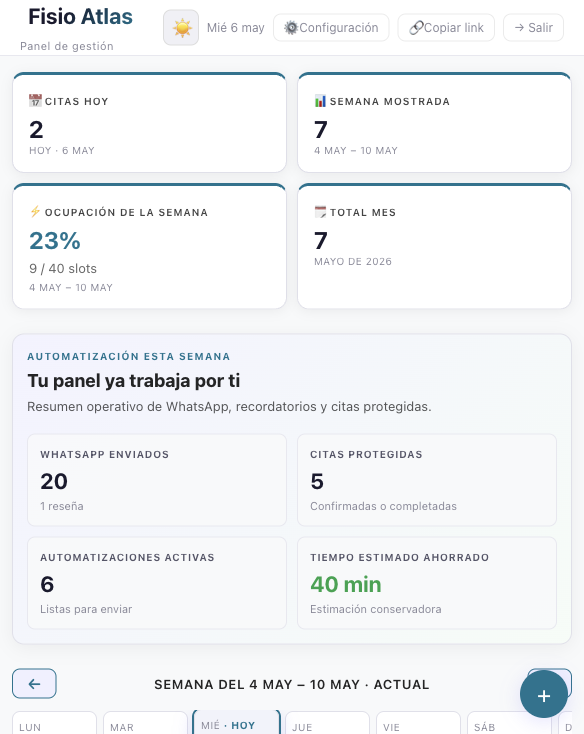
Daily control
Today appointments, visible week, occupancy, monthly volume and active automations.
Actionable agenda
Statuses, service filters, search and appointment detail in the same surface.
Operational WhatsApp
Reminders, confirmations, follow-up and manual contact; reviews and survey stay in Max.
Centre setup
Professionals, schedules, appointment types, blocked days, branding and plan-based capacity.
Online booking with fictional data
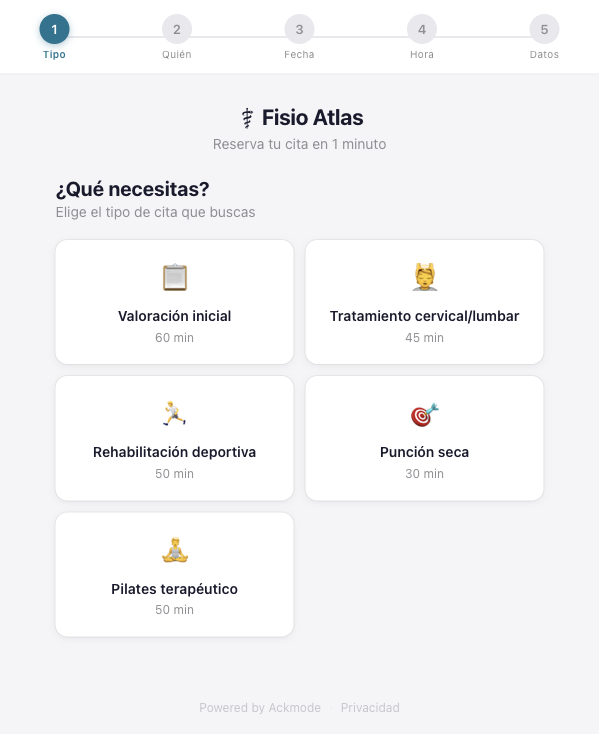
The client chooses the service
The flow can adapt to visits, treatments, check-ups or services with their own duration.
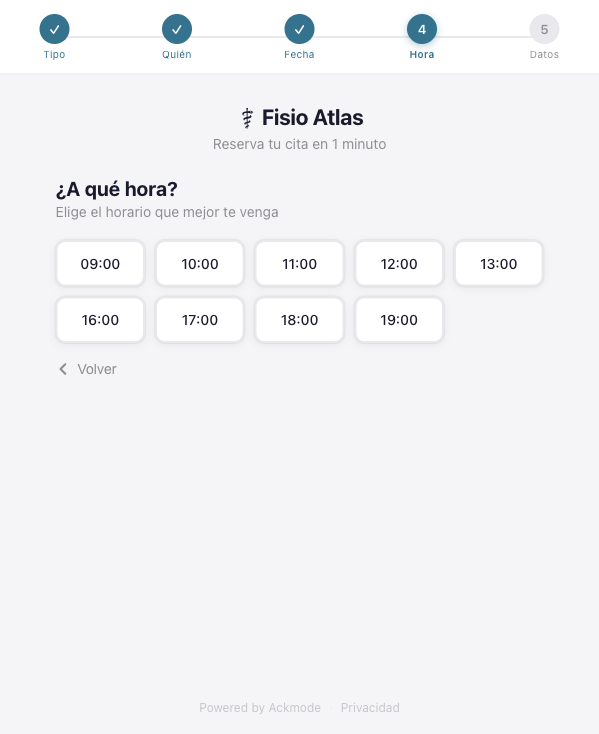
Only bookable times are shown
Slots come from the availability configured by professional and appointment type.
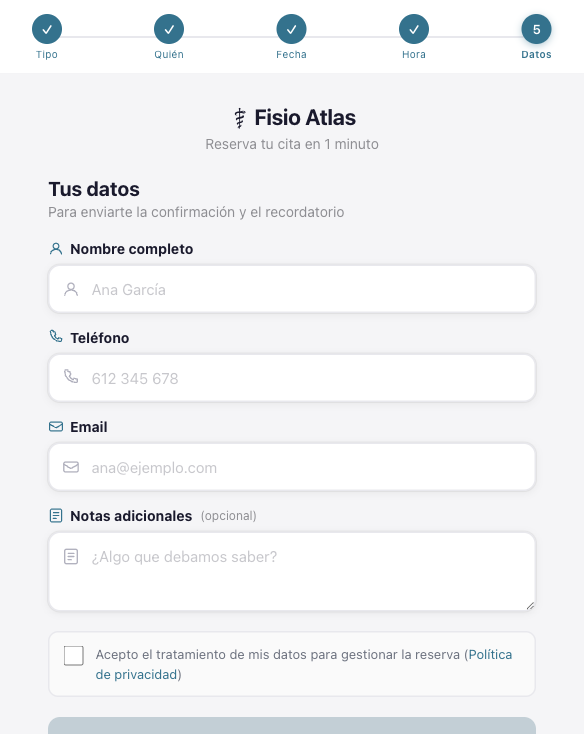
The booking closes with minimum data
Name, phone, email, optional notes and privacy acceptance.
Reception workflow and automations
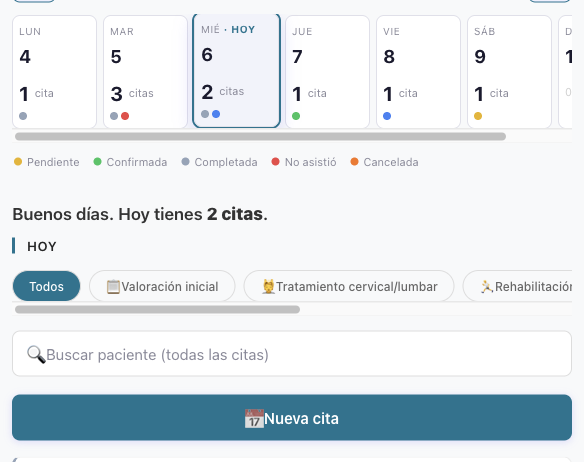
Agenda by status and service
The team can see pending, confirmed, completed, no-show and cancelled appointments without searching chats.
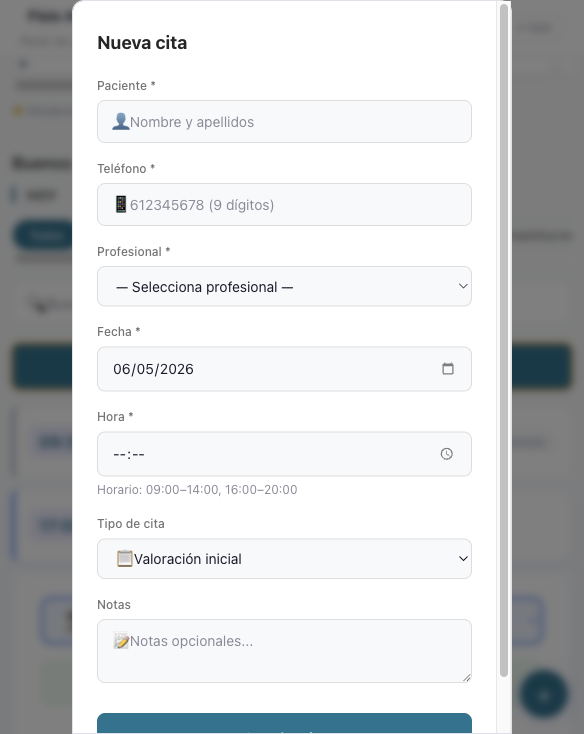
Manual entry when someone calls
Create appointments from the panel with professional, date, time, service and notes.
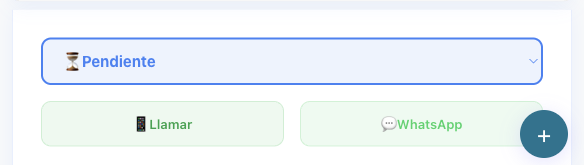
Status, call and WhatsApp inside the appointment
The operational action stays in the appointment context instead of being scattered across tools.
Enough configuration to validate the centre workflow
For a clinic or centre, the product is not only the reminder. It is the ability to adapt the flow to professionals, schedules, service duration and appointment rules.
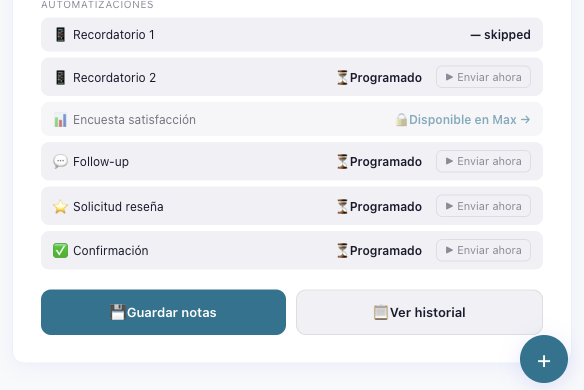
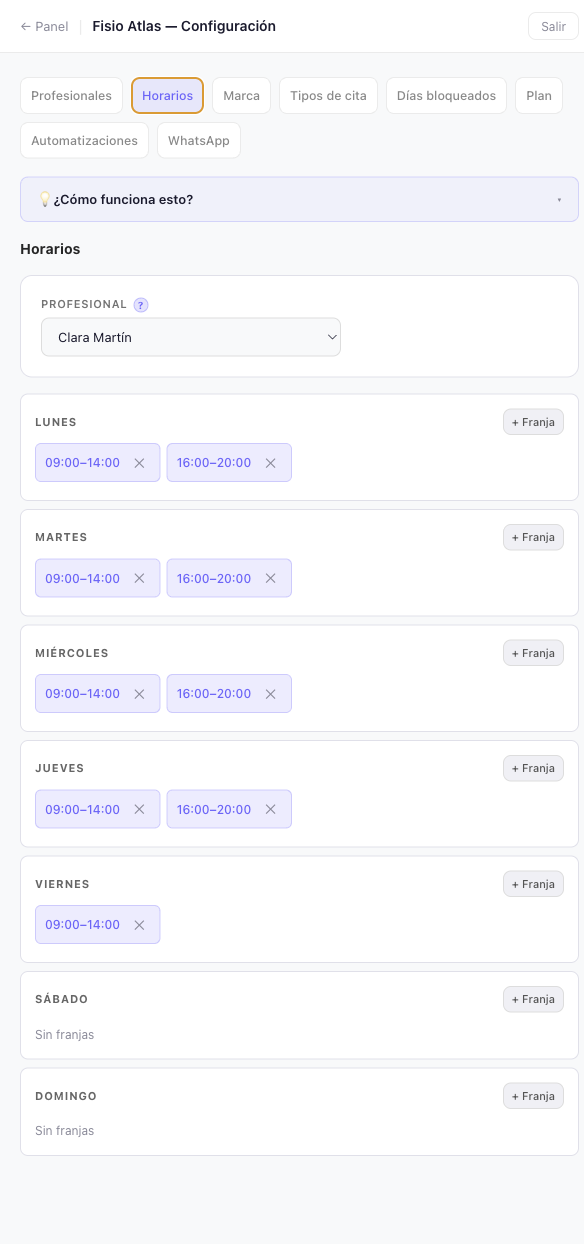
Schedules per professional
Each professional can have their own time windows, days off and booking availability.
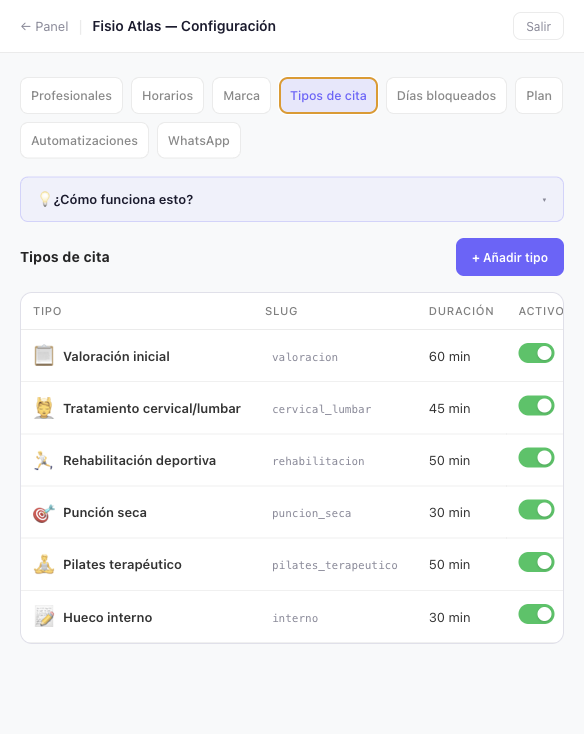
Services with their own duration
The centre decides which services can be booked and how much time each one blocks in the agenda.
Validation for podiatry
First validate the flow, then publish outcomes
We are not presenting this as a finished published result. We review the appointment flow, activate what fits and only publish numbers when they are auditable.
Sample criteria · reviewed trial · pilot data pending
The promise is deliberately practical: if Ackmode fits your clinic, you get a panel where appointments, reminders and replies are easier to control. We avoid publishing testimonials until there is permission and data behind them.
Request a guided trial for your podiatry clinic
Request access and we will review whether your clinic fits the current Ackmode flow.