
Confirm physiotherapy appointments by WhatsApp without chasing every reply
Messages that understand normal replies like “confirmed”, “I need to reschedule” or “I can’t make it”. Appointment panel updated for reception and professionals.
Why you lose money every week
A physiotherapy clinic needs to know which sessions are confirmed, which patients need a reminder and which replies require human follow-up.
Sessions that remain uncertain
The patient forgets the appointment or does not answer clearly. The panel keeps the status visible so the team can focus on the risky slots.
Manual confirmations stealing hours
Calling patients one by one, leaving voicemails, waiting for confirmation. Your receptionist spends 1-2 hours a day on this instead of attending the patients who are actually there.
Patients who recover and never come back
The treatment ends and they disappear. Nobody checks how they're doing. Nobody reminds them about the maintenance session. Three months later they go to a different clinic.
4 flows that keep the agenda ordered
Configure them by professional, schedule and session type.
Reminder with natural replies
The patient receives date and time, then replies the way they normally would on WhatsApp.
Rescheduling with a temporary link
If they say they need to change the appointment, they receive a rescheduling link that expires to avoid out-of-context changes.
Live status panel
Reception can see sent, confirmed, pending, cancelled and reschedule-requested appointments.
Professionals, schedules and appointment types
Define assessments, sessions, packages and sending windows according to how the centre works.
Your clinic, at a glance
A panel you can open from your phone. See today's sessions, the week ahead, who didn't show up and who needs follow-up. No apps, no installation — it's a web page.
- Live session schedule with confirmation status
- WhatsApp reminders sent and confirmed automatically
- Appointment changes with temporary links and visible status
Panel and workflow
What Ackmode looks like when you use it
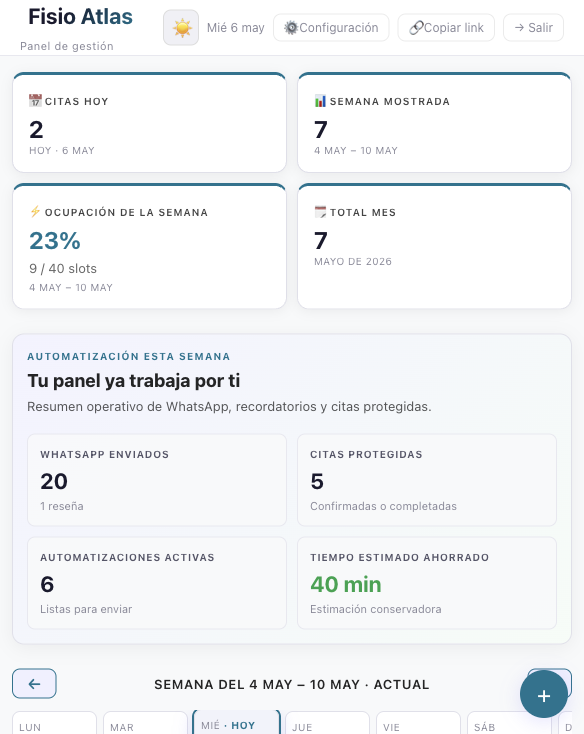
These screenshots show what matters before a call: how booking works, how the agenda is controlled, which automations exist and how a clinic workflow is configured.
Daily control
Today appointments, visible week, occupancy, monthly volume and active automations.
Actionable agenda
Statuses, service filters, search and appointment detail in the same surface.
Operational WhatsApp
Reminders, confirmations, follow-up and manual contact; reviews and survey stay in Max.
Centre setup
Professionals, schedules, appointment types, blocked days, branding and plan-based capacity.
Online booking with fictional data
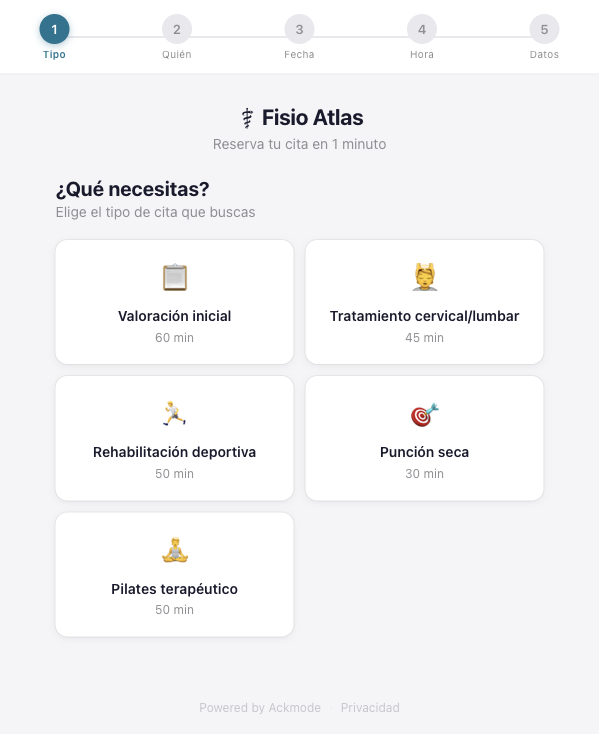
The patient chooses the session
Initial assessment, treatment, sports rehab, dry needling or therapeutic pilates.
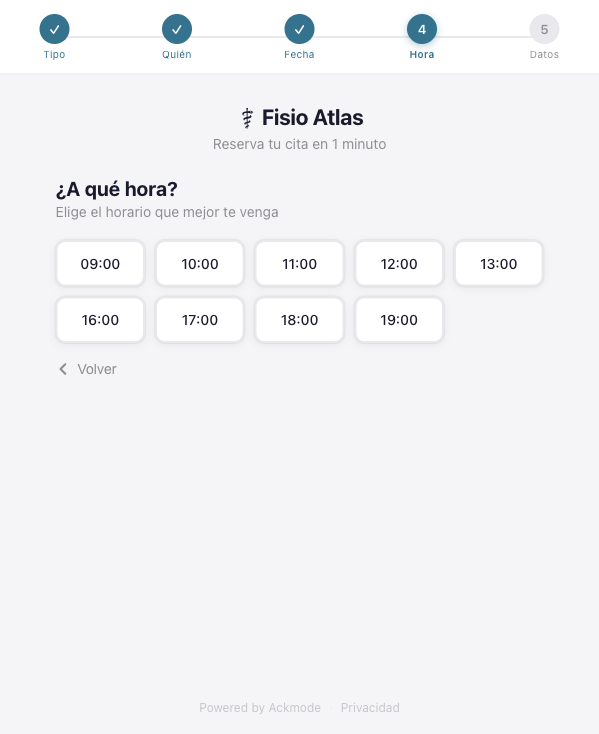
Only bookable times are shown
Slots come from the availability configured by professional and appointment type.
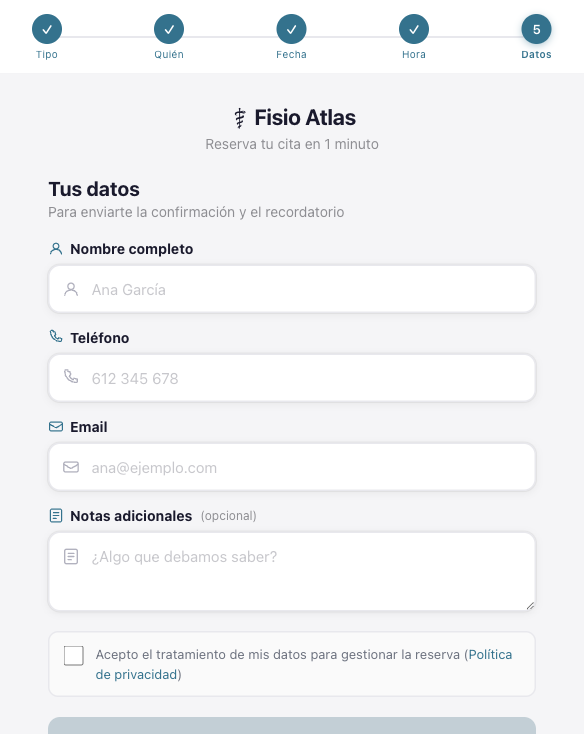
The booking closes with minimum data
Name, phone, email, optional notes and privacy acceptance.
Reception workflow and automations
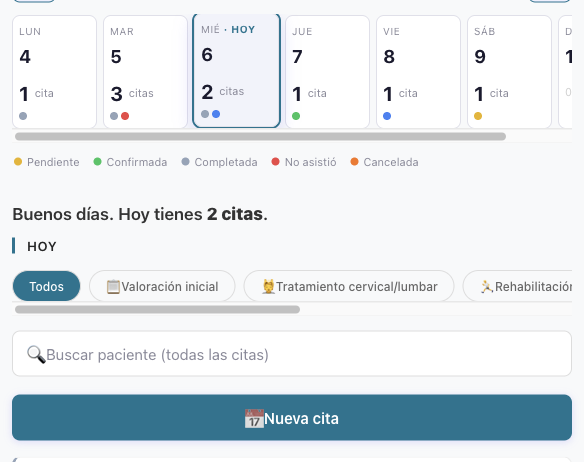
Agenda by status and session type
Reception can see pending, confirmed, completed, no-show and cancelled appointments without searching chats.
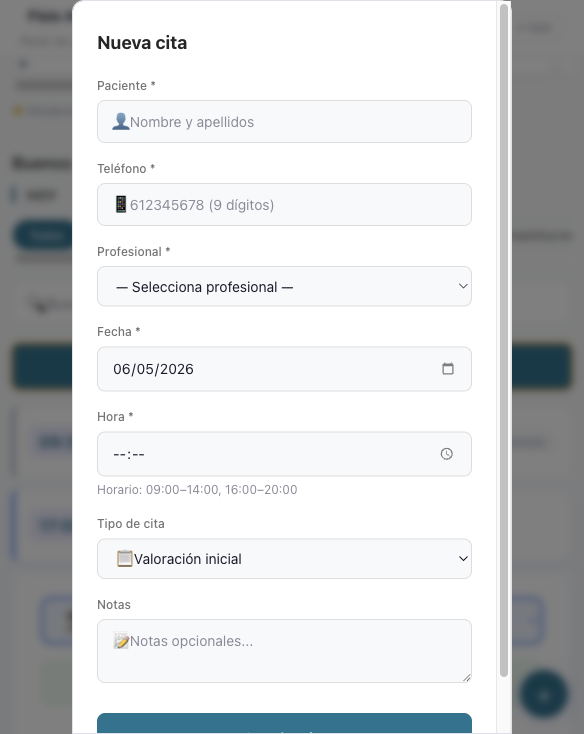
Manual entry when a patient calls
Create appointments from the panel with professional, date, time, session type and notes.
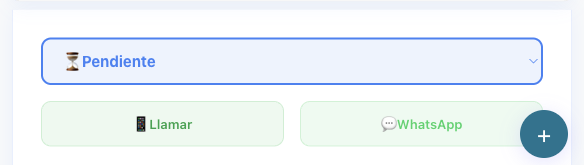
Status, call and WhatsApp inside the appointment
The operational action stays in the appointment context instead of being scattered across tools.
Enough configuration for a real centre workflow
For a clinic, the product is not only the reminder. It is the ability to adapt the flow to professionals, schedules, session duration and services offered by the centre.
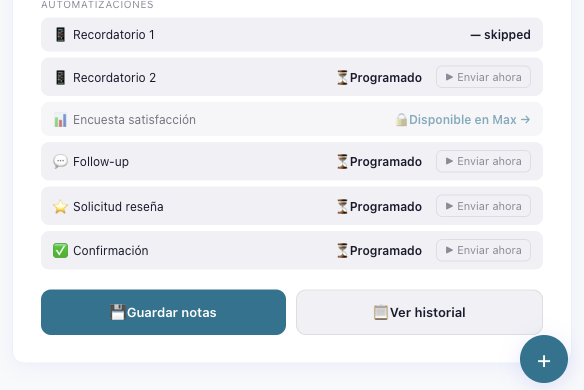
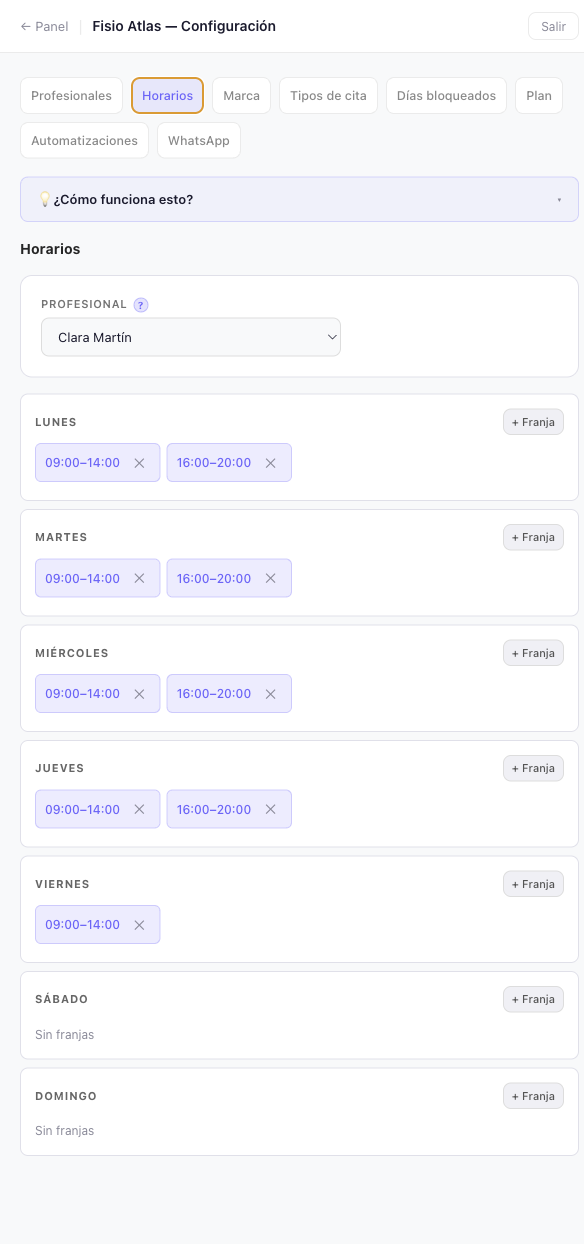
Schedules per professional
Each physio can have their own time windows, days off and booking availability.
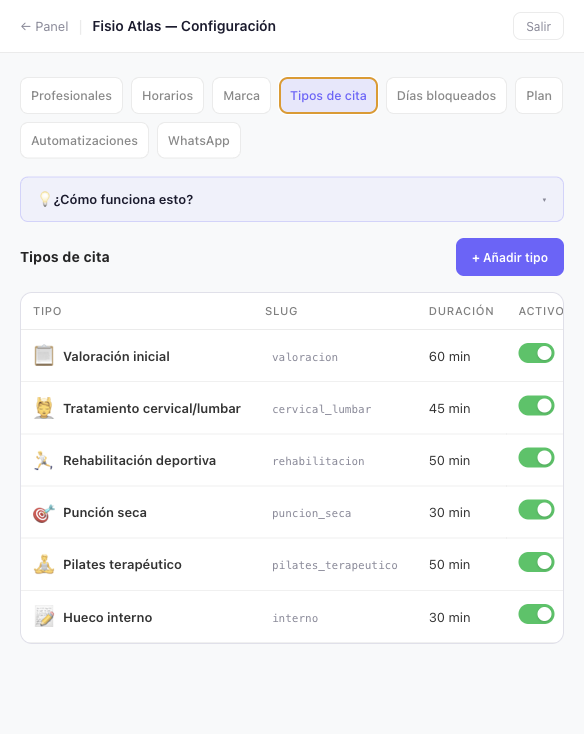
Services with their own duration
The clinic decides which services can be booked and how much time each one blocks in the agenda.
How much does a disordered agenda cost?
The objective is that the team sees which appointments are confirmed and where it has to intervene before it is too late.
Guided access for first centres
An honest trial with a physiotherapy agenda
Before activating anything, we check whether your agenda, WhatsApp and appointment volume fit the current flow.
What we validate
Session types, schedules, professionals and the current way appointments are confirmed.
What we do not promise
Inflated results, custom integrations or unlimited manual support.
What you get
A trial with panel, WhatsApp by QR and a reminder flow prepared for your case.
Request a guided trial for your physiotherapy clinic
Tell us how your agenda works and we will explain what we could automate. No commitment.